What Makes a Bad Website? 11 Common Website Mistakes & How To Fix Them

Did you know that it takes roughly 0.05 seconds for someone to form an opinion about your website? That means your homepage has a fraction of a moment to impress, engage, and convince a visitor to stick around!
Unfortunately, many websites start strong but slowly degrade over time; often the design becomes outdated, and content is neglected. A slow site speed or bad website design can frustrate users, confuse them, or worse, drive them straight to your competitors. High bounce rates, low engagement, and poor conversions are the natural consequences of a bad website.
If you’ve ever found yourself frustrated by a website, or worried that your own site isn’t performing, this guide will help you spot common mistakes and show you how to fix them.
Why Is It Important To Have a Good Website?
While visual appeal is important, a good website is more than just about appearance. A seamless user experience is essential, as it directly influences how visitors perceive your business and whether they choose to engage - ultimately turning casual visitors into loyal customers.
A strong website also helps you stand out in a crowded online world. It improves your chances of appearing in search results, attracts more visitors, and keeps your business visible around the clock. People can learn about your services, interact with your content, or even make purchases, no matter the time of day.
Ultimately, a user-friendly, professional website can become one of your most powerful marketing tools.
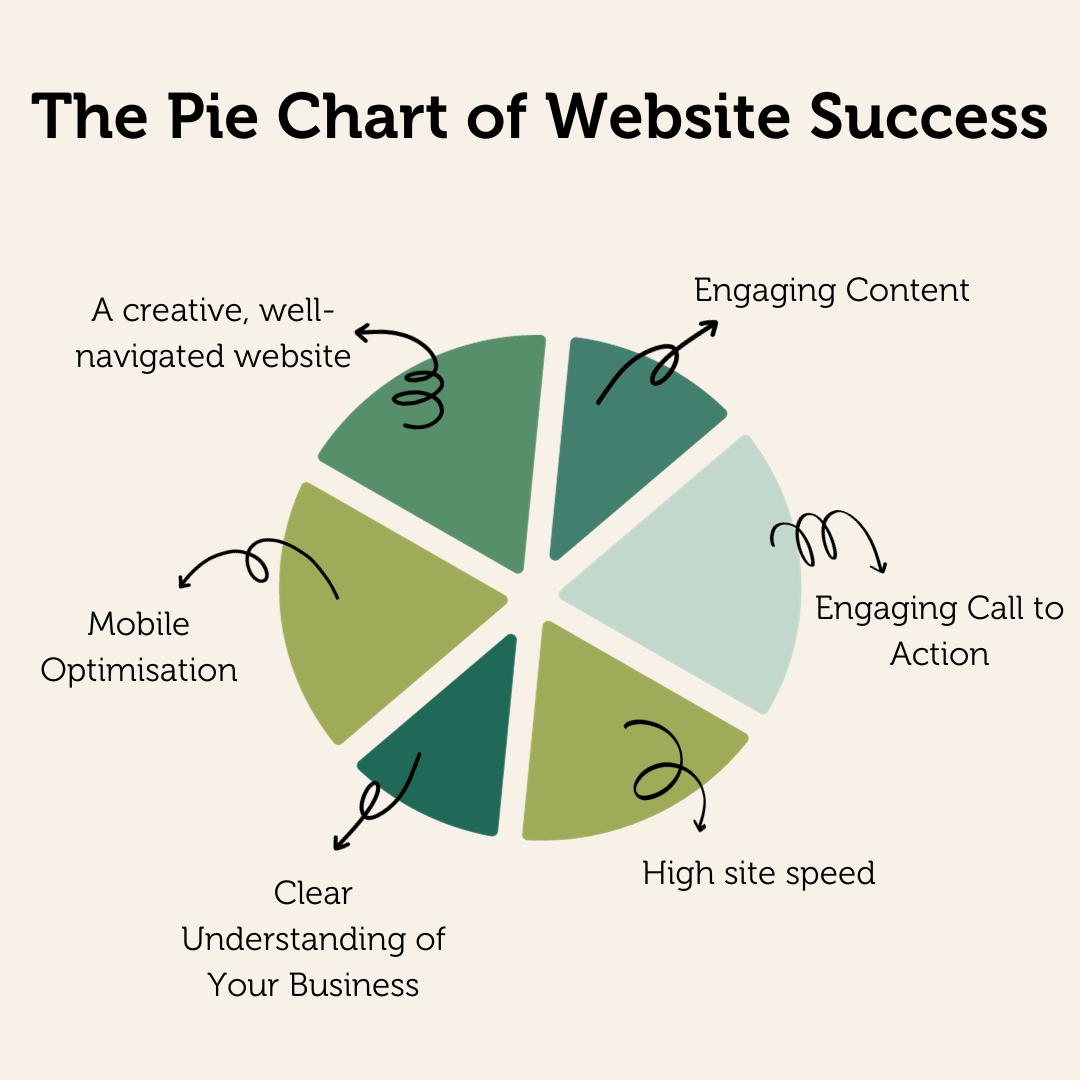
Website Design Mistakes To Avoid
1. Confusing & Difficult Navigation
If people can’t find what they need, they leave. Poor navigation, such as complicated or busy menus and broken links, creates frustration and stops them from exploring further. Navigation structure should feel intuitive and consistent, so make sure your visitors are guided naturally through your site, making it easy for them to find what they're looking for.
How To Fix It
- Audit your menu and strip it back to only the essential pages.
- Make sure your logo links back to your homepage, check every link works correctly, and ask someone unfamiliar with your business to find a key piece of information.
2. Not Mobile-Friendly
More than half of web traffic now comes from mobile devices, and this trend will continue to rise. A site that looks great on a desktop but is slow or hard to use on a phone will lead to higher bounce rates. Mobile optimisation involves responsive layouts, appropriately sized buttons, readable text, and fast-loading images. What works on a desktop doesn’t always translate to a smaller screen, so testing across devices is key.
How To Fix It
- Use a mobile-friendly test tool to see how your site performs on a phone. Look at whether buttons are easy to tap, text is readable without zooming, and images load quickly. If multiple issues come up, it may be time for a responsive redesign rather than a series of individual fixes.

3. Poor Font Choices
Another key mistake is when a website uses a font which is difficult to read. Choosing the right font in web design is just as important as choosing the right colour scheme.
The right font should look professional and be easy for your audience to read, and there should be limited font changes across the website.
How To Fix It
- Limit yourself to two fonts, one for headings and one for body text.
- Make sure your body text is large enough to read comfortably on a phone, and avoid decorative or overly stylised fonts for anything longer than a heading.
4. Bad Colour Choices
Too many colours, clashing combinations, or inconsistent use across pages can make a website feel chaotic and unprofessional, and that first impression is very difficult to recover from.
Equally, poor colour contrast between text and background makes content difficult to read, frustrating visitors and potentially excluding users with visual impairments.
How To Fix It
- Stick to a palette of two to four brand colours and use them consistently throughout your site.
- Use a free tool like WebAIM's Contrast Checker to make sure your text is legible against its background, particularly for users with visual impairments.
5. Slow Load Times
Speed matters more than ever, and if your website takes too long to load, people won’t stick around. Studies show that over 40% of visitors won’t wait more than 3 seconds for a site to load before abandoning it.
Slow websites are often caused by large images, unnecessary code, too many plugins, or poor hosting. The good news is that these are usually fixable. Tools like GTmetrix or Google PageSpeed Insights can highlight what’s slowing your site down and how to improve it.
How To Fix It
- Run your site through GTmetrix or Google PageSpeed Insights to get a clear picture of what is slowing you down.
- Common quick wins include compressing images, removing unused plugins, and ensuring your hosting package is up to the demands of your site.
6. Unclear Messaging
Visitors shouldn't have to work hard to understand your business. If your website makes people guess what you do or why they should choose you, they’ll leave - and fast. Above all, make it obvious who you are, what you offer, and why it matters to them.
How To Fix It
- Look at your homepage with fresh eyes and ask: can a stranger quickly understand what you do and who you help? If not, simplify your headline, lead with your most important message, and save the detail for further down the page.
7. Weak or Poor Content
Content is the backbone of a website’s value, and it’s vital for SEO. Sites with unhelpful or outdated content risk both losing visitors and performing poorly in search engines. Good content should provide value; it educates, informs, or entertains visitors while reflecting your expertise.
Content can include blog posts, case studies, product details, or guides - anything that gives people a reason to stay and explore.
How To Fix It
- Review existing pages and ask whether each one genuinely answers a question or solves a problem for your audience.
- Remove or consolidate pages that add little value, update anything outdated, and consider a regular blog to keep your site fresh and relevant.
Explore Our Content Marketing Services
8. Lack of Search Engine Optimisation (SEO)
You can have the most beautifully designed website in the world, but if nobody can find it, it is not doing its job. SEO is what helps your website appear in Google when potential customers are actively searching for the products or services you offer.
For small businesses, SEO is one of the most cost-effective ways to generate consistent and long-term traffic without relying on paid advertising. Getting the basics right, including well-structured content and a technically sound website, can make a significant difference to your visibility and your results.
How To Fix It
- Make sure every page has a clear focus, a descriptive page title, and a meta description that reflects what the page is about.
- Check that your site loads quickly, works on mobile, and that your content answers the questions your audience is genuinely searching for.
9. Irrelevant Pop-Ups
Pop-ups can be effective, but only when they add value. Irrelevant or aggressive pop-ups are frustrating and often cause visitors to leave. Use pop-ups sparingly and strategically, such as to offer a free guide, discount, or newsletter subscription. Make sure they don’t block the user experience or interrupt the natural flow of the site.
How To Fix It
- Review any pop-ups currently on your site and ask honestly whether they add value or interrupt the experience.
- If you do use them, set them to appear after a visitor has spent some time on the page rather than the moment they arrive, and always make them easy to dismiss.
10. Missing or Weak Calls to Action
Your website exists to encourage action, whether that’s contacting you or making a purchase. Yet, surprisingly, 70% of small businesses lack a clear call to action. Without one, even interested visitors can leave without taking the next step.
Calls to action should be prominent, persuasive, and simple, guiding visitors clearly on what to do next and why it matters.
How To Fix It
- Every key page on your site should have at least one clear and specific call to action that tells visitors exactly what to do next and why it is worth doing.
- Avoid vague prompts like "click here" and instead use language that reflects the benefit, such as "Get your free consultation" or "See how we can help."
11. Unsecure Site
Trust is everything online, and an unsecure website can destroy it instantly. If your website does not have an SSL certificate, visitors will see a "Not Secure" warning in their browser before they have even read a word of your content. For many people, that is enough to make them leave without a second thought.
How To Fix It
- Make sure your website uses HTTPS, and keep your platform and any plugins up to date.
- Consider adding visible trust signals such as a clear privacy policy and, where relevant, recognised accreditations or payment security badges.
What Should You Do Next?
If you have worked through the list above and recognised several issues, you are not alone. The good news is that not everything needs fixing at once. Start by identifying the issues that are costing you the most, whether that is slow loading times driving people away or poor mobile performance cutting off more than half your potential audience.
One useful framework is E-E-A-T: Experience, Expertise, Authoritativeness, and Trustworthiness. Your website should showcase your knowledge, provide accurate and helpful information, and offer a safe, enjoyable experience to internet users.
For businesses that have the time and confidence to make changes themselves, tools like Google Search Console and Google Analytics can help you identify where the biggest problems lie and track whether your fixes are working.
However, if you feel you need support, this is exactly where we can help.
Need Help With Your Website?
Our 100 Club service is a simple, pay-monthly website solution: for just £100 per month, we design, build, host, and manage your site. No upfront costs, no long-term contracts, just a website that’s updated and optimised for your audience!
Your website can be your most powerful business asset. Make it work for you. To find out more, contact our team today.
FAQs
Can a bad website damage my brand reputation?
Yes, absolutely - your website is often the first impression a potential customer has of your business! A poorly designed, slow, or outdated site signals a lack of professionalism and can harm trust before you have the chance to make your case.
What is the most common website mistake businesses make?
Designing for themselves rather than their audience. Businesses often prioritise aesthetics or internal preferences over user experience, resulting in cluttered layouts and confusing navigation.
Simply put, if visitors cannot quickly find what they need and understand what to do next, they will leave.
How often should a website be updated or redesigned?
As a general rule, a full redesign every 2 to 3 years keeps your site aligned with changing design standards. However, content and SEO elements should be reviewed and updated regularly to stay relevant and competitive in search results.
Can I fix my website myself or do I need an agency?
This depends on the scope of the issues. Minor updates like swapping images or adding blog posts are usually manageable with a DIY approach if your site is built on a user-friendly CMS. However, structural problems, performance issues, or a poor user experience typically benefit from professional input to avoid making things worse.
What's the difference between a website refresh and a full redesign?
A refresh involves updating the surface elements of an existing site, things like colours, fonts, imagery, and copy, while keeping the underlying structure and functionality intact.
A full redesign starts from scratch, rethinking the site architecture and user journey. A refresh is quicker and more cost-effective; a redesign is the right choice when the foundations themselves are no longer fit for purpose.
How long does it take to fix a bad website?
Minor fixes like improving page speed, refreshing content, or strengthening calls to action can often be done within days. A more significant redesign typically takes four to twelve weeks, depending on the size of the site and complexity of the work involved.
Does a bad website affect my Google rankings?
It can do. Google factors in loading speed, mobile responsiveness, content quality, and user engagement when ranking your site. A slow, hard-to-navigate, or thin website is likely to rank lower in search results. A user-friendly site is one of the most effective investments you can make for search visibility.
How much does it cost to fix or redesign a bad website?
Small improvements like compressing images or updating content can be done at low cost or in-house. A full redesign with a professional agency is a larger investment, though options like our 100 Club service offer a fully designed, built, hosted, and managed website from just £100 per month with no upfront costs.

